mdwEditor Markdown Editor for Windows OS
Markdown Editor for Windows OS : Download
This application can edit Markdown file and show HTML preview.
You don’t need to install this application, just download, put it into a folder you wanted and run.
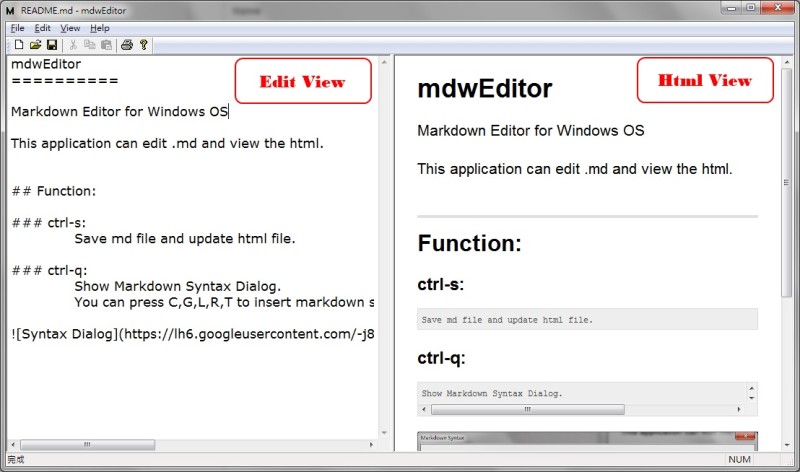
Function:
ctrl-s:
Save md file and update html view.
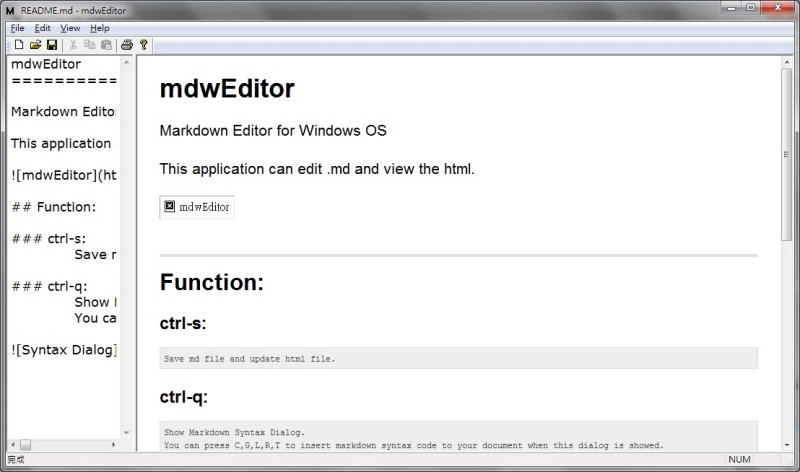
ctrl-Tab
Change focus between Edit View and Html View, and switch the View size.
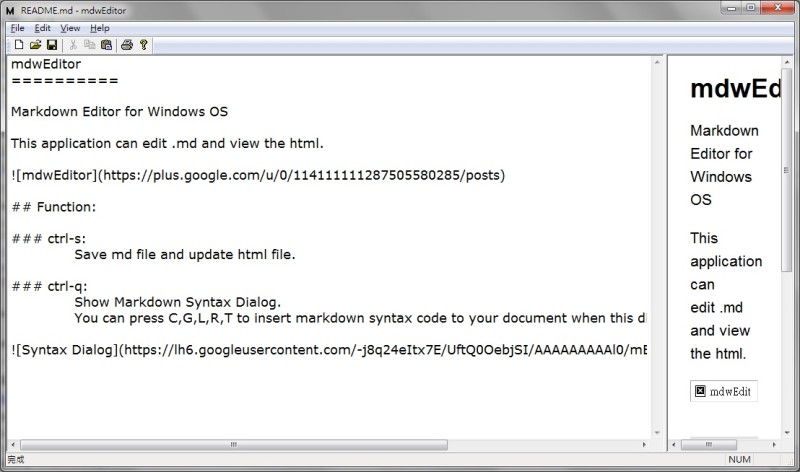
change to
ctrl-q:
Show Markdown Syntax Dialog.
You can insert markdown syntax code to your document by pressing these keys:
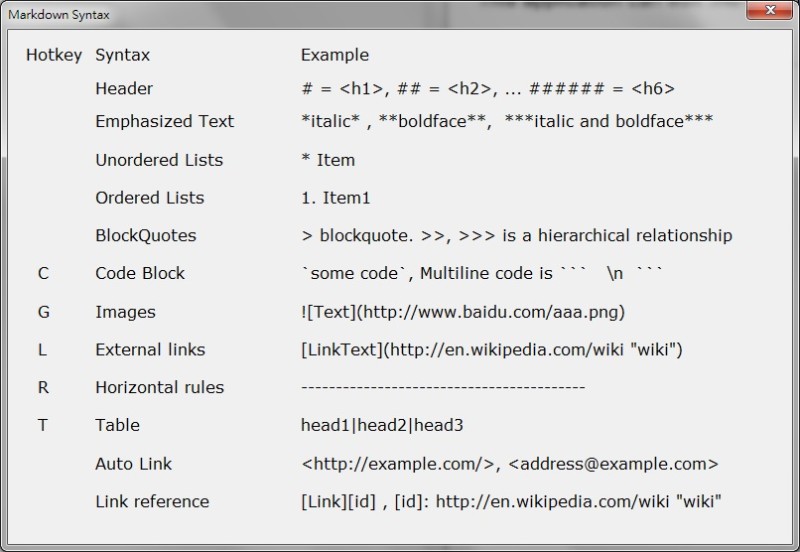
C : Code Block
G : Image
L : Link
R : Horizontal rule
T : Table
Hotkey to insert Markdown Syntax Code:
ctrl-q+c: Code Blockctrl-q+g: Imagectrl-q+l: Linkctrl-q+r: Horizontal rulectrl-q+t: Table
Export Html:
[File]->[Export Html] Export the html file to a file you selected.
CSS Change:
[View]->[CSS Change] You can use your CSS file to replace the default CSS Style.
CSS Default:
[View]->[CSS Default] Restore default CSS Style. Previous CSS file will be delete.
blog comments powered by Disqus